Set up the team
Confirm the approved email domain and workspace with Brand Asset. Identify who creates, who reviews and who administers the workspace. Confirm the team sees the correct Active Brand Guide in Create.
Monitor activity
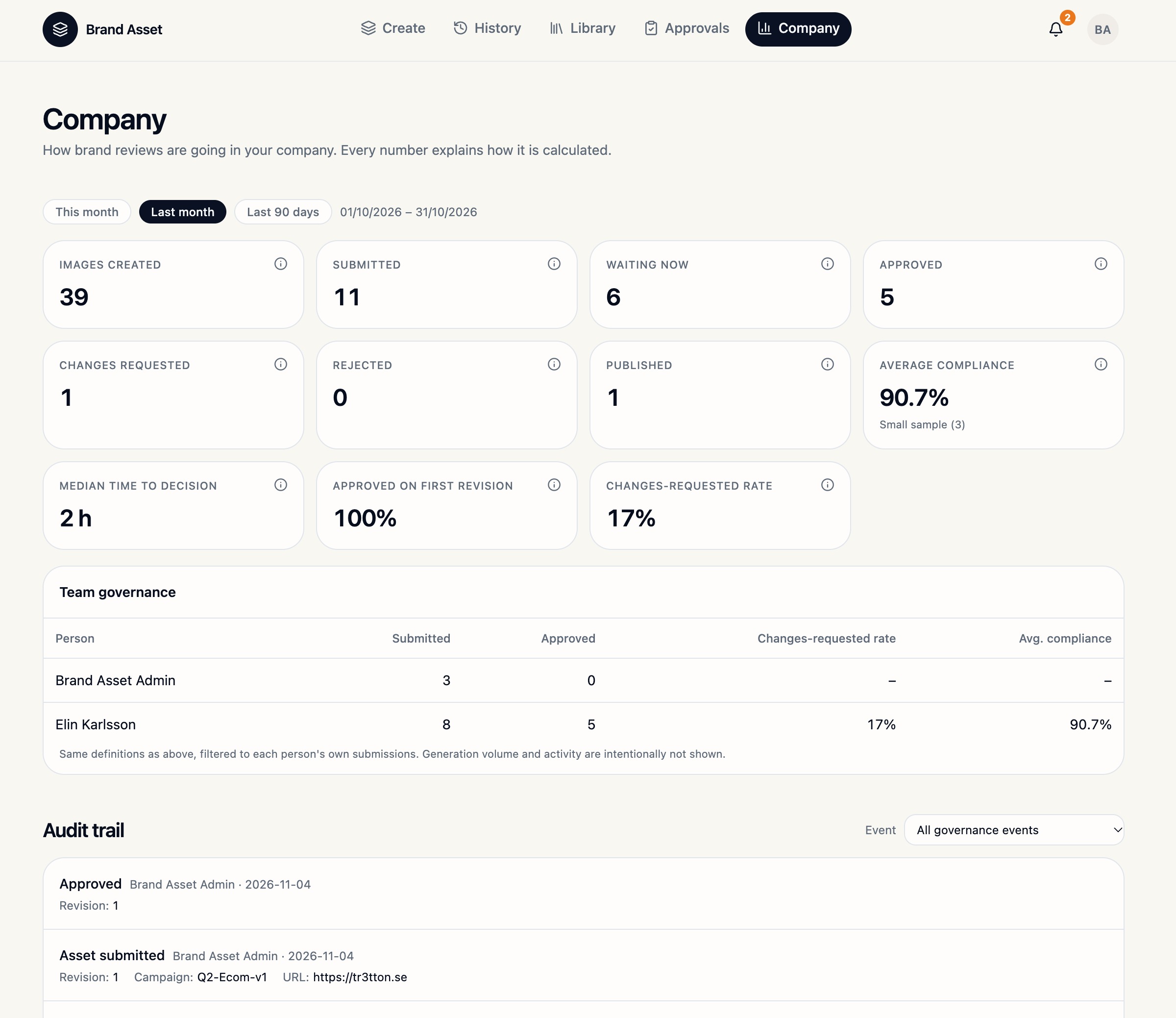
Open Company and choose a reporting period under Company metrics. Use the information icon to check how each metric is calculated. Review submissions and outcomes per person in Team governance. In Audit trail, use Event to filter for the activity you need.
Record publication
In Approvals, select Approved and find the correct version. When publication is ready to be recorded, select Mark as published and verify it under Published. Approved images can already appear in Library.
Withdraw an asset
Use Withdraw on the correct asset when needed. Verify the Withdrawn status and follow up on copies already used outside Brand Asset.
The Company, Approvals and Library views were checked. Role changes, publication and withdrawal still need a live test.