Open the questionnaire
Go to Customer onboarding. Enter the onboarding password supplied by Brand Asset and select Open questionnaire. Keep working in the same browser if you want to resume your draft. Answers are saved locally for up to 30 days. Files are excluded from the saved draft.
Enter company and brand details
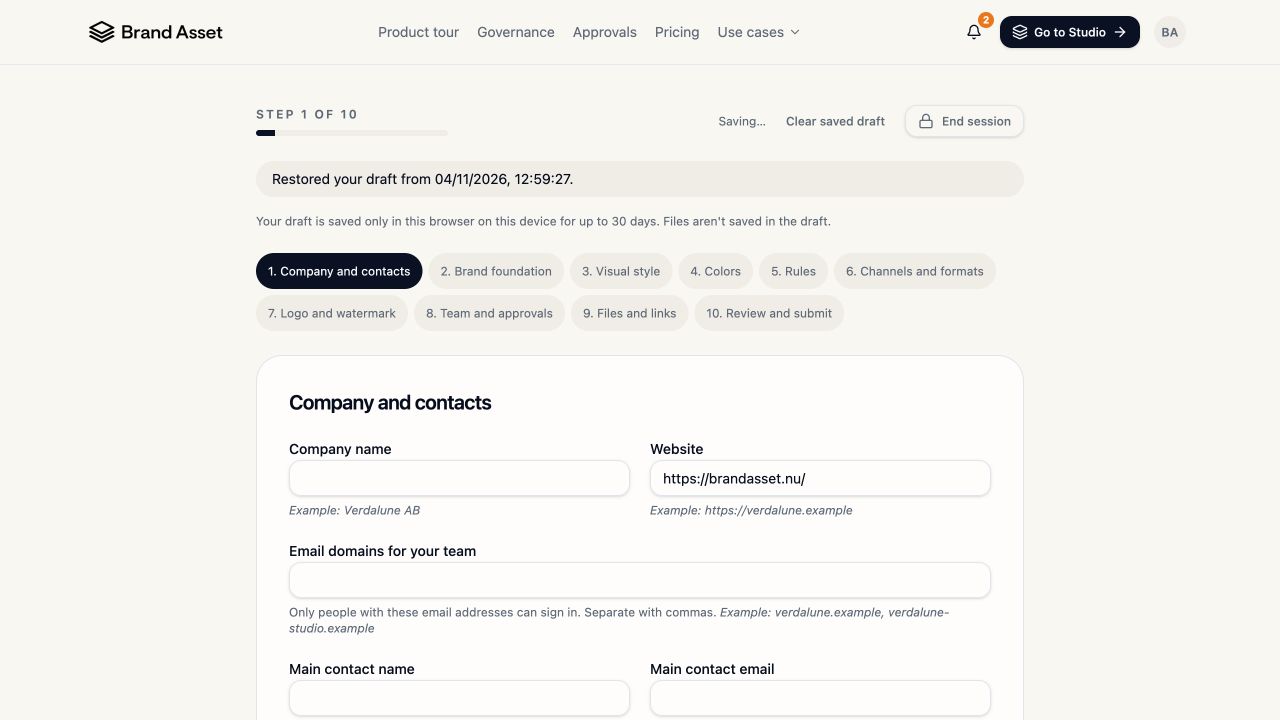
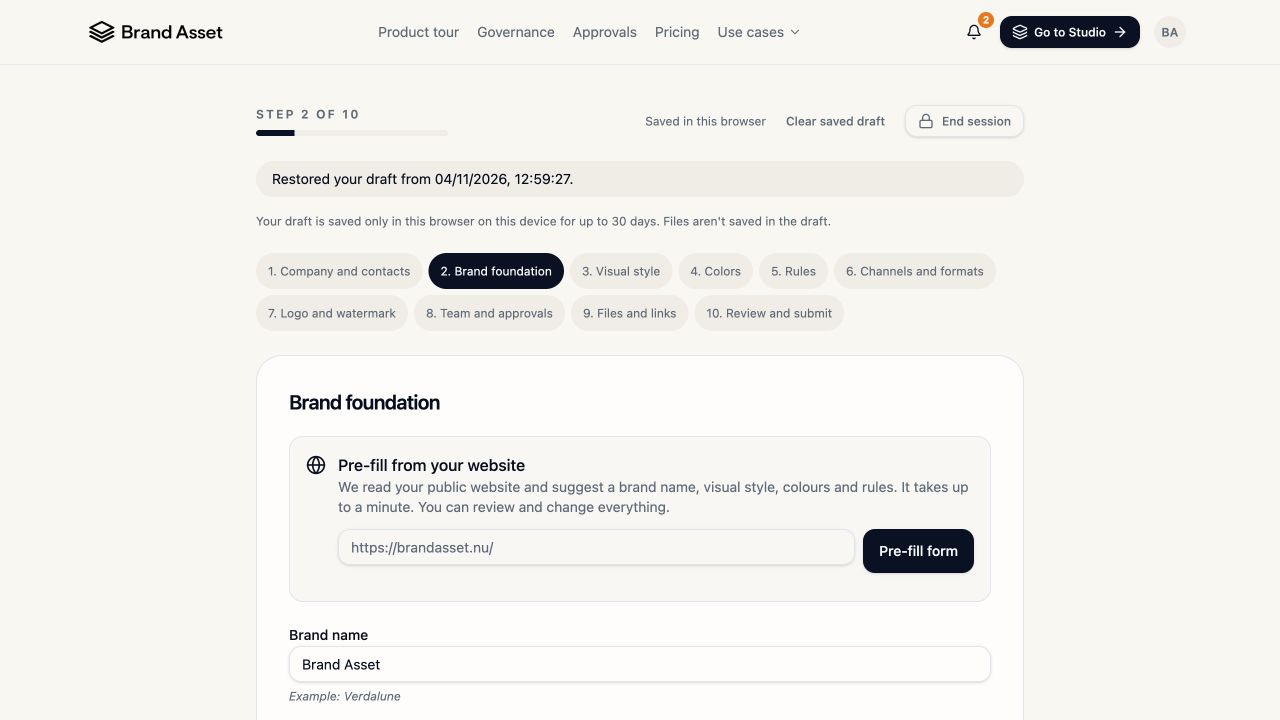
In Company and contacts, add the company name, website, approved email domains and primary contact. In Brand foundation, add the brand name, sub-brands, promise, audience and tone. For a head start, enter your public Website address under Pre-fill from your website and select Pre-fill form. In a test using brandasset.nu, it suggested values for 11 fields across steps 2–5 and reported that existing answers were preserved. Review and edit the suggestions before continuing.
Describe your visual rules
In Visual style, describe medium, lighting, subjects and composition. In Colors, add approved colours and usage guidance. In Rules, separate what to do, what to avoid and what is forbidden. For Verdalune, use muted Sage #8FA38A, soft daylight and no neon lighting.
Choose channels and logo settings
In Channels and formats, select where the images will be used and the ratios you need. For example, Website in 16:9 and Social media in 9:16. In Logo and watermark, select the logo variants your team needs and describe how to place them.
Define roles and attach brand material
In Team and approvals, explain who creates and who reviews. In Files and links, attach brand books, logo files and reference images or add links. The form accepts SVG, PNG, JPG, WebP and PDF, with a limit of 10 MB per file, 15 files and 60 MB total. Reattach files if you resumed a saved draft.
Review and send
Open Review and submit and check the company domain, contacts, rules and attachments. Select Submit answers when ready. Review the resulting Brand Guide with Brand Asset during onboarding and confirm it appears as the Active Brand Guide in Create.
All ten questionnaire steps were inspected. Submission and the resulting handover have yet to be tested end to end.